Micral P2 - Part 2 - Teardown & Test
Now we’re on to the teardown of the Bull Micral P2.
I didn’t take pics of every step, but in a nutshell, the machine is built in a sturdy metal chassis, over which the external plastic shell slides. Everything is attached to that chassis: monitor, power supply, motherboard, etc.
Most of the article is more or less a copy of the information I’ve documented in the Wiki page here.
Power Supply
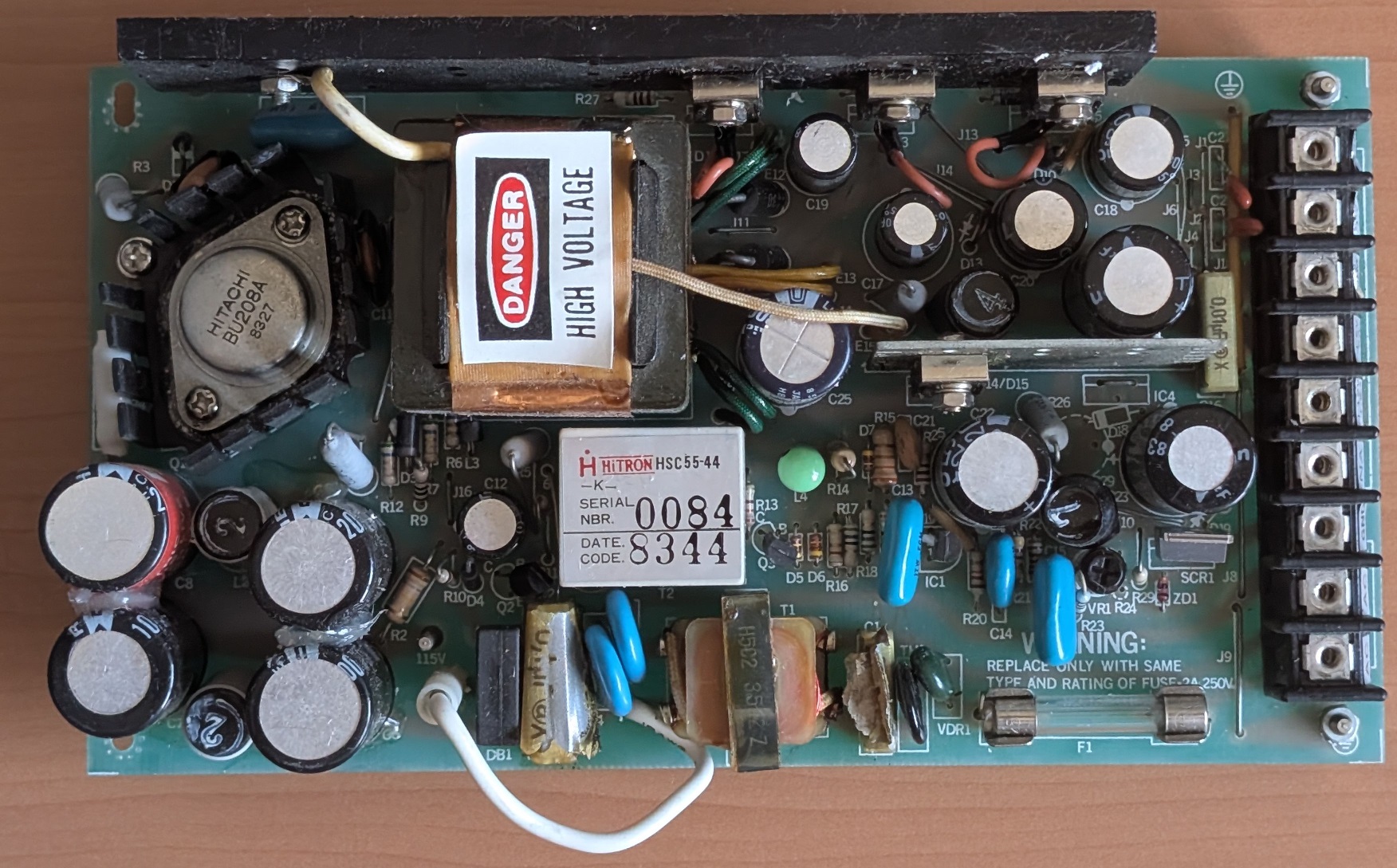
Made by Hi-Tron, it appears similar to the common Astek ones from the same time period. Just like them, the Rifa X/Y-class filtering caps are blown and had to be replaced. Except for the slight smell, everything works just fine. Voltages are stable.
For some weird reason, the back of the heatsink is covered in grease but doesn’t come near anything in the chassis. There was just enough spare room for my finger to encounter said grease, thanks Bull. :-)
Motherboard
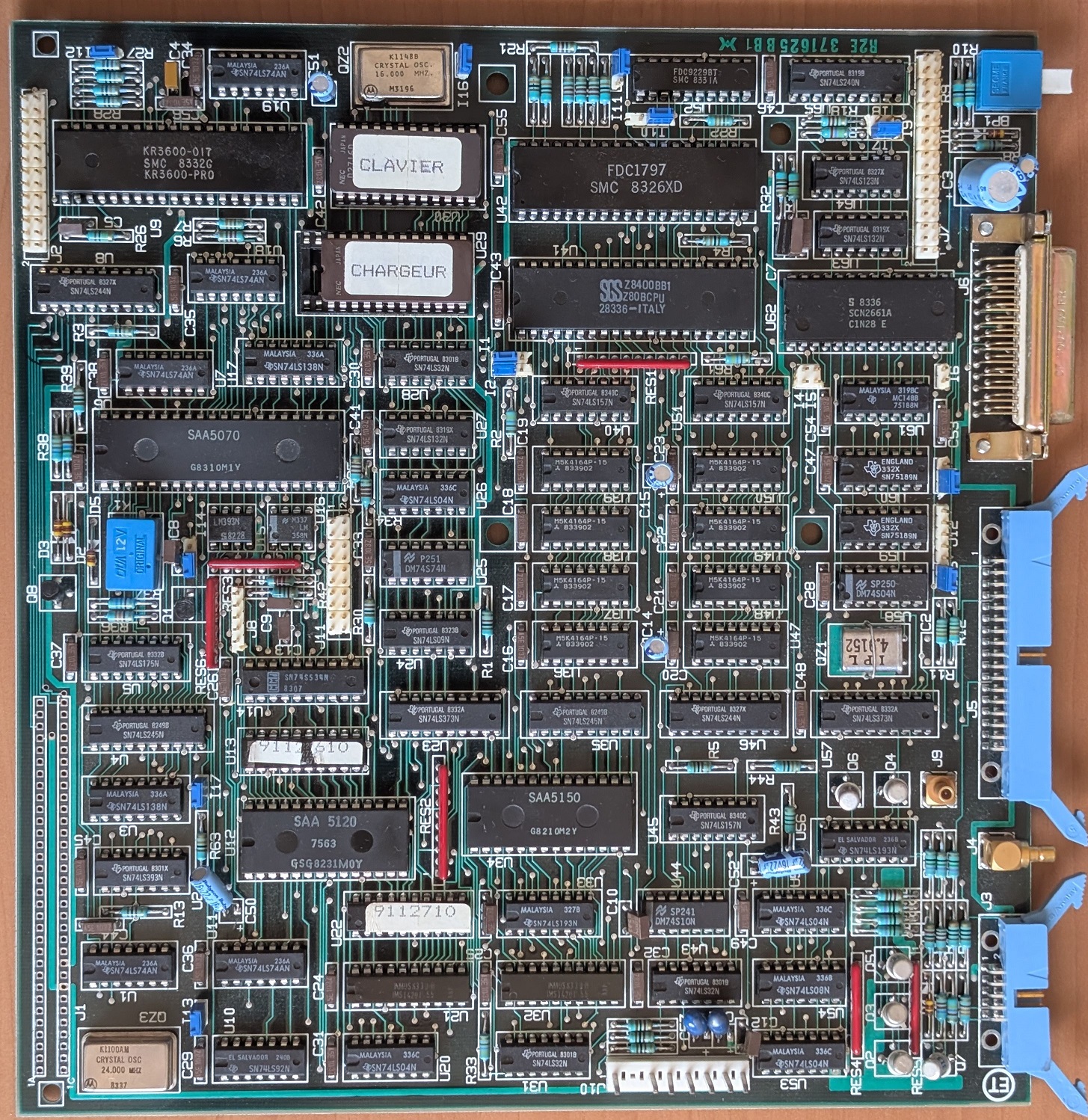
Except for a few chips, the motherboard is fairly standard for CP/M computer boards of that time. The Philips/Mullard SAA5070 (“Lucy”) is fairly uncommon. It’s used for GPIO, modem and timers mostly.
The other unknown is the SAA5120 and SAA5150 chip combo. It’s used for video generation and was likely intended for videotext devices. I’ve seen the same two chips in the Matra Teletel (Minitel predecessor), but couldn’t find any datasheet so far.
Chips:
| Marking | Manufacturer | Reference | Role |
|---|---|---|---|
| U41 | SGS | Z8400BB1 | Z80 B CPU (goes up to 6 MHz) |
| U42 | SMC | FD1797 | Floppy Controller |
| U6 | Philips | SAA5070 | Multifunction |
| U9 | SMC | KR3600-017 | Keyboard Controller |
| U12 | Philips | SAA5120 | Not sure, Videotext related |
| U34 | Philips | SAA5150 | Not sure, Videotext related |
| U62 | Signetics | SCN2661A | UART |
| U52 | SMC | FDC9229BT | Floppy interface |
| U24-27, U36-39 | Mitsubishi | M5K4164P-15 | 64k x 1 DRAM |
| U21, U32 | INMOS | IMS1420P55 | 4k x 4 SRAM, for video |
| U13 | National Semi | DM74S472AN | “9112610”, 4k PROM, for addressing? |
| U22 | Signetics | N82S147AN | “9112710”, 4K PROM, for addressing? |
| U29 | NEC | D2716D | 2K x 8 Boot ROM |
| U30 | NEC | D2716D | 2K x 8 Keyboard ROM |
ROM chips have been dumped and uploaded to the files section
Modem & Cables
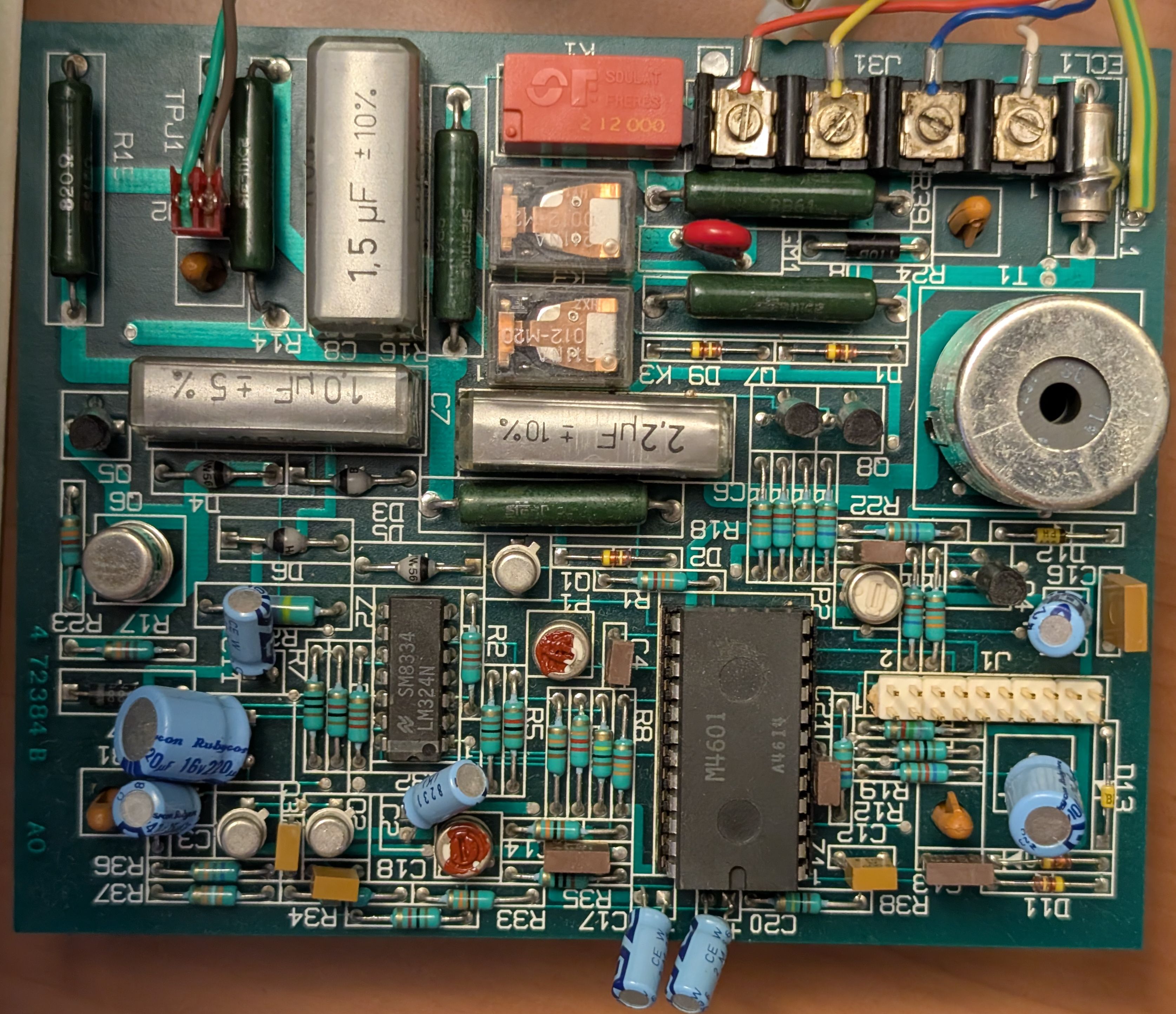
There is a little modem daughter-board, to which the phone cable is connected. It features an unknown (Philips?) M4601 chip. I’m not sure its function.
One annoying thing is the phone cable not being removable, which appears to be a requirement by the French PTT (Postes, Télégraphes & Téléphones). You can think of the PTT as the French equivalent of AT&T. Each equipment that plugs to the phone network had to be certified by them, and seemingly the phone cord has to be attached. As seen in the previous article, there is a label showing the P2 is certified.
Floppy Drive
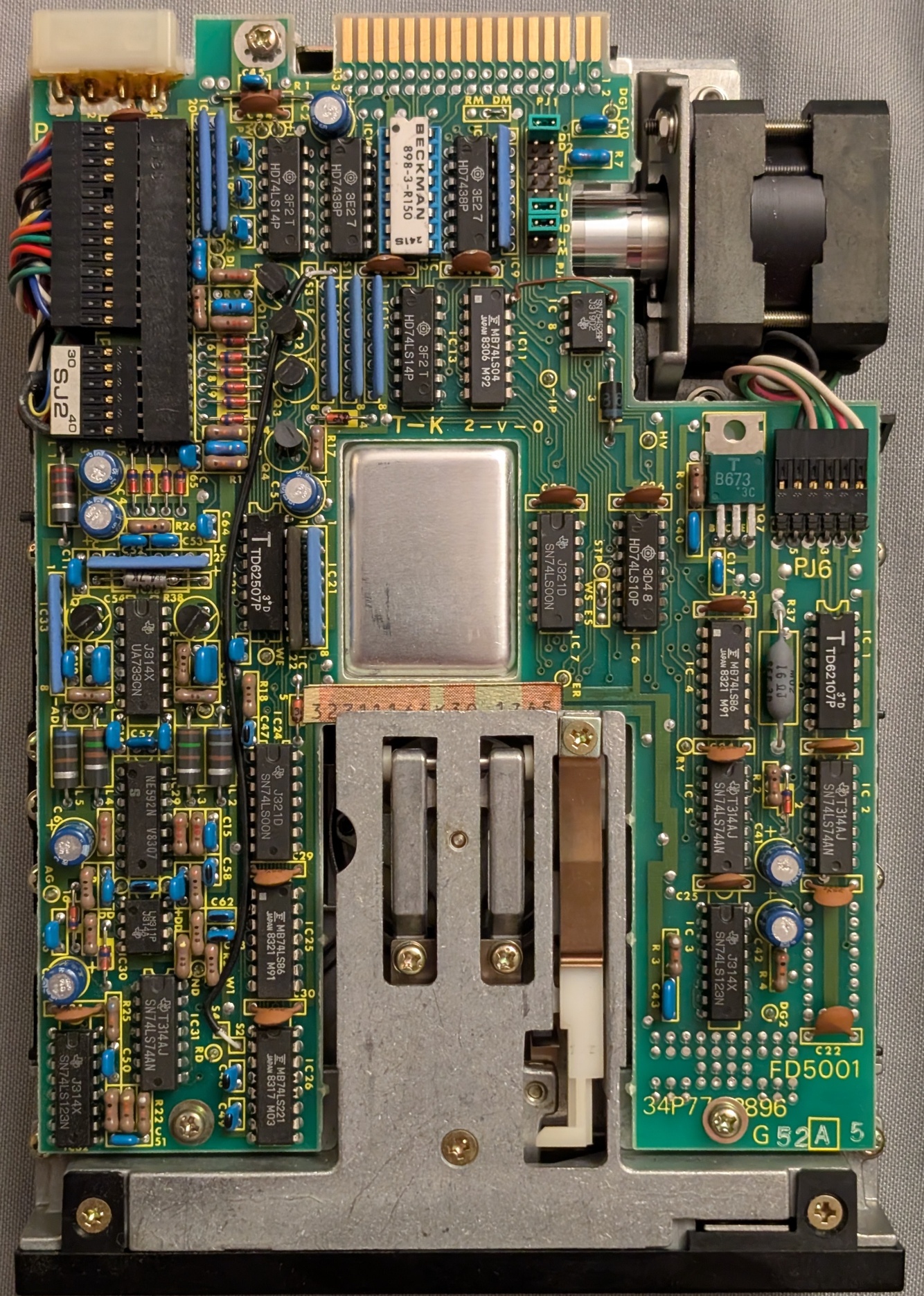
The floppy drive is manufactured by Toshiba, and has the part number MKM0262E002. It’s quite similar to the FDD5401 model, but might be a custom order for Bull. I’ve seen similar drives used later in the Bull Micral 30 PC compatible.
It’s 80 tracks, 300 RPM, 96 TPI.
I cleaned them, lubricated them, and tested them against each other: write a disk with one, check if it reads back with the other and vice versa. I also tested the drives with commercial disks to check alignment.
Powering it on
After making sure the PSU and floppy drives are good, I reassembled the machine and tested powering it on.
I got a prompt, and could test a few commands. Pressing enter or writing B0,0 got the machine to attempt boot on the first drive. B1,0 did the same on the second drive.
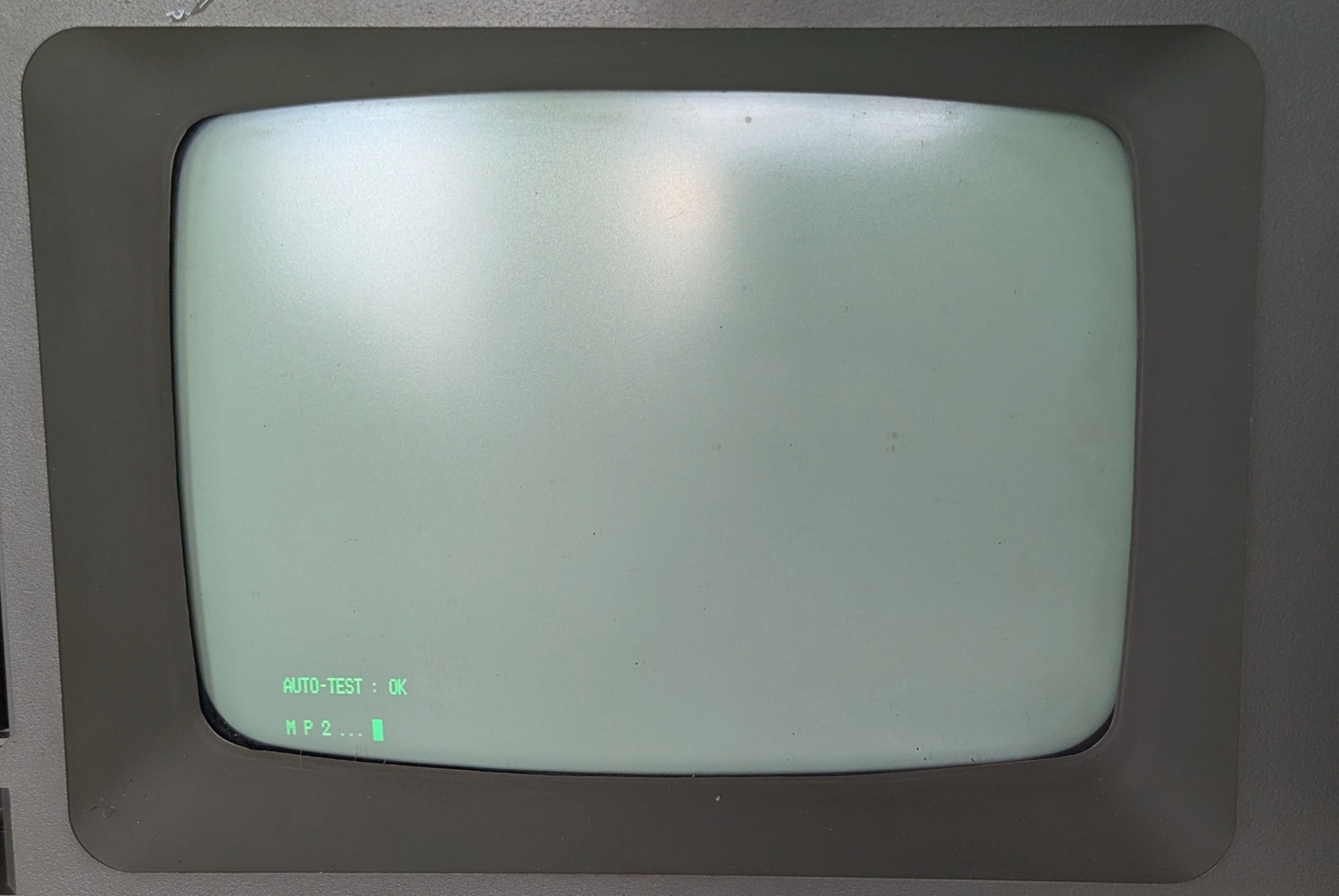
The next steps are to get a good disk image, write it back to a non-damaged disk and attempt to boot.